Using Common Ground
Common Ground lets you practise the Writer’s Room method with fictional content in your browser. This version is a local prototype with no API calls; contributions are described as on this device. Use a shared screen or device for a facilitated pilot unless cross-device synchronisation is confirmed separately.
Follow the interface
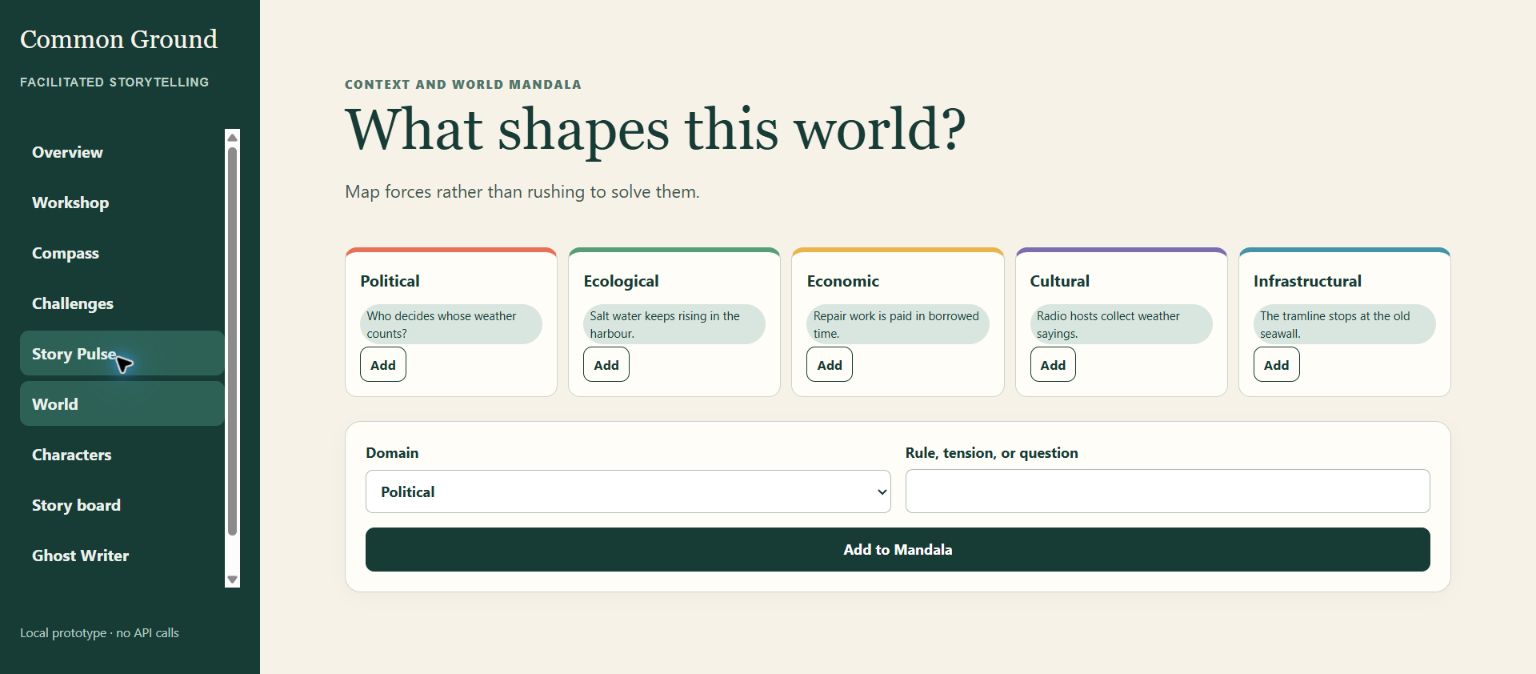
The screenshots below are the authentic reference pack from the app. They are inline so learners can compare each step with the real interface while staying in the lesson.
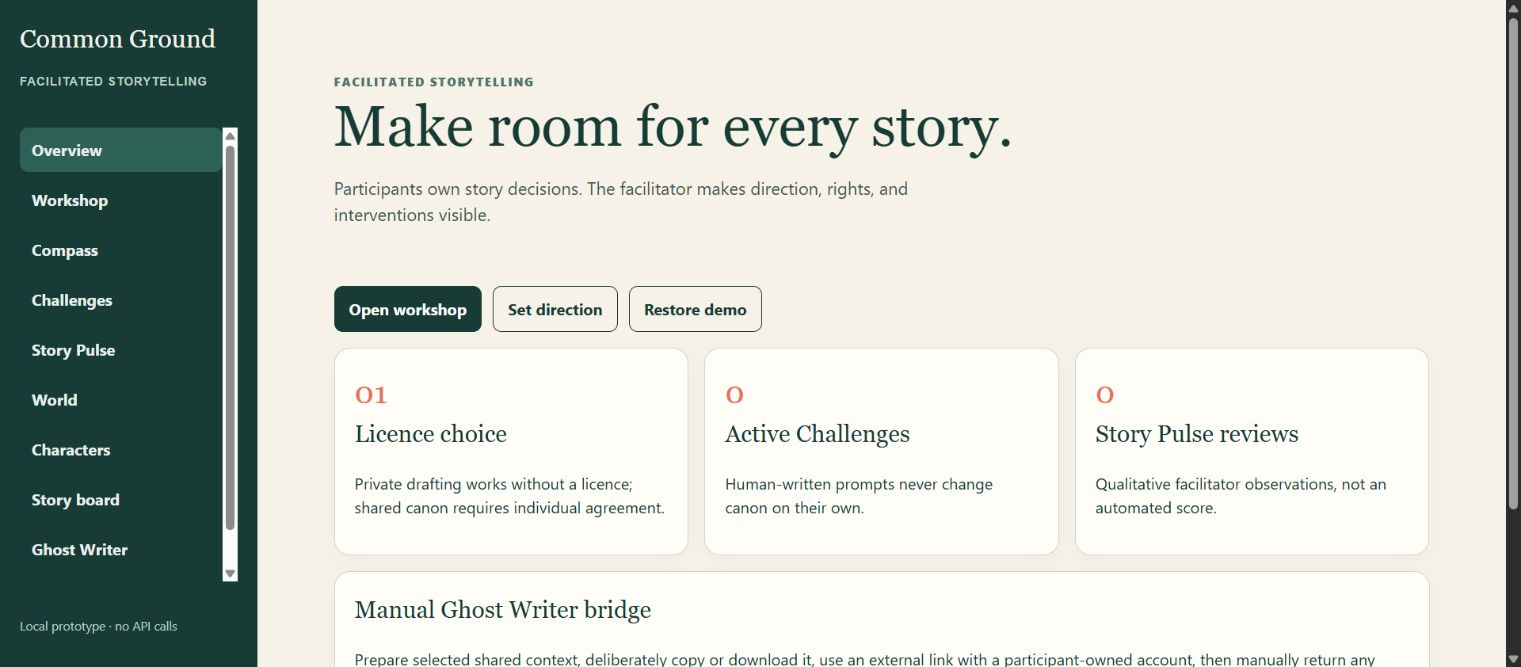
1. Review the agreement and seed
Review the room licence, choose a credit preference, and distinguish private drafts from public-release clearance. Then draft a fictional seed and choose its visibility.
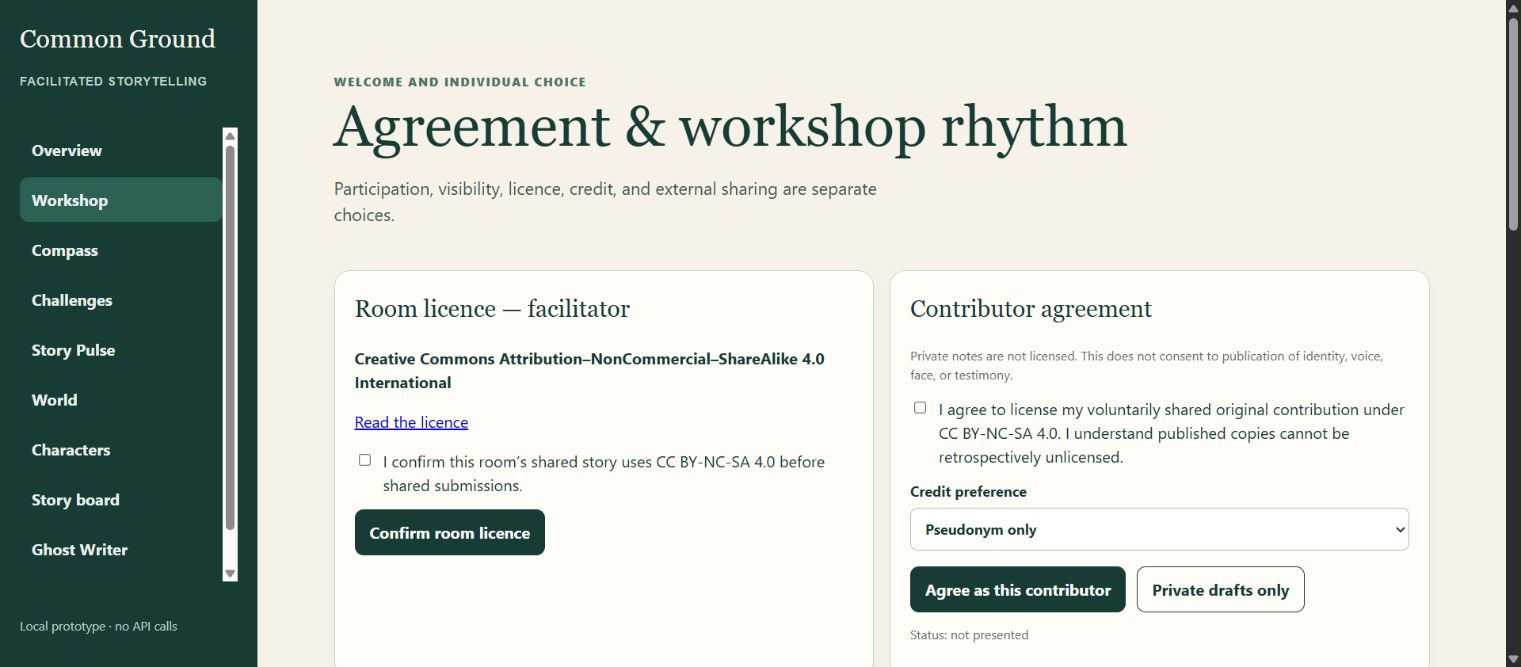
2. Use the facilitator Compass
Use visible prompts and constraints to guide the room. The facilitator directs discussion without secretly deciding the story.
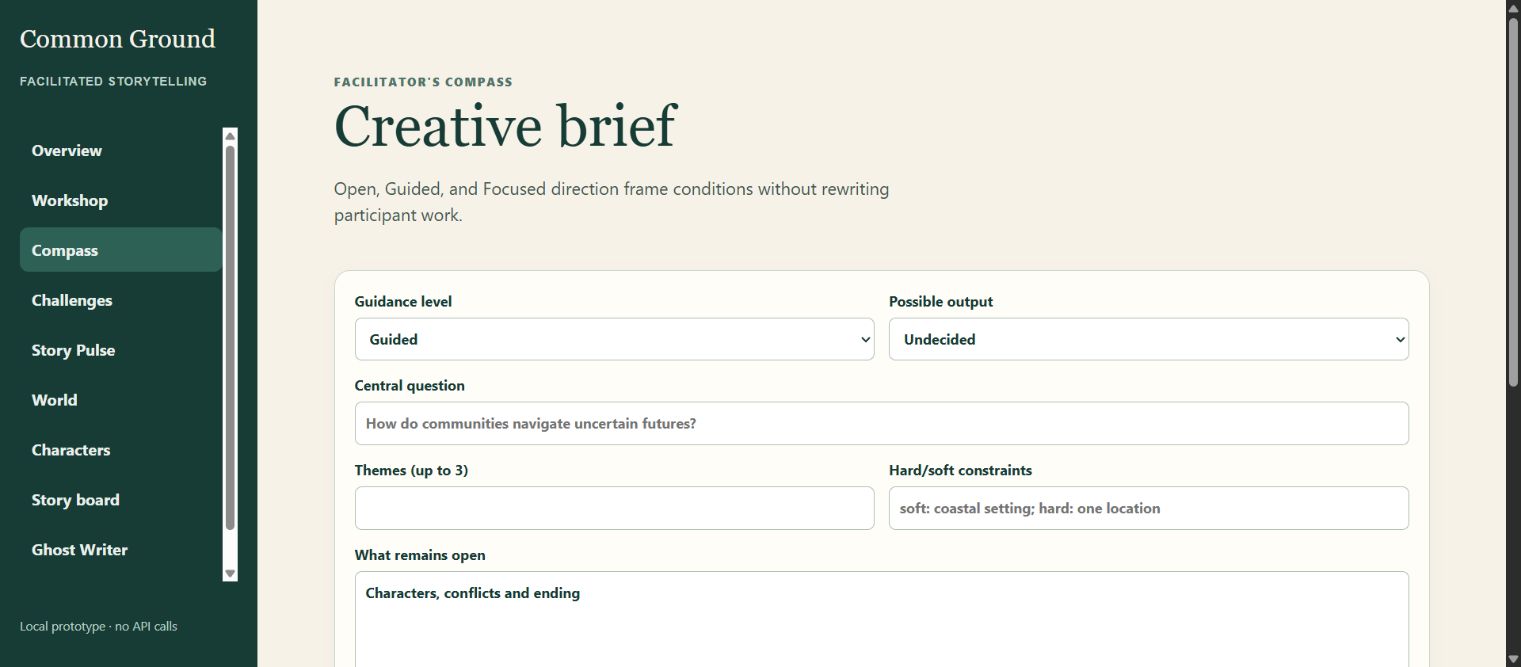
3. Build the world
In World, work across Political, Ecological, Economic, Cultural and Infrastructural domains. In Characters, propose a name, role, mission, internal tension and action.
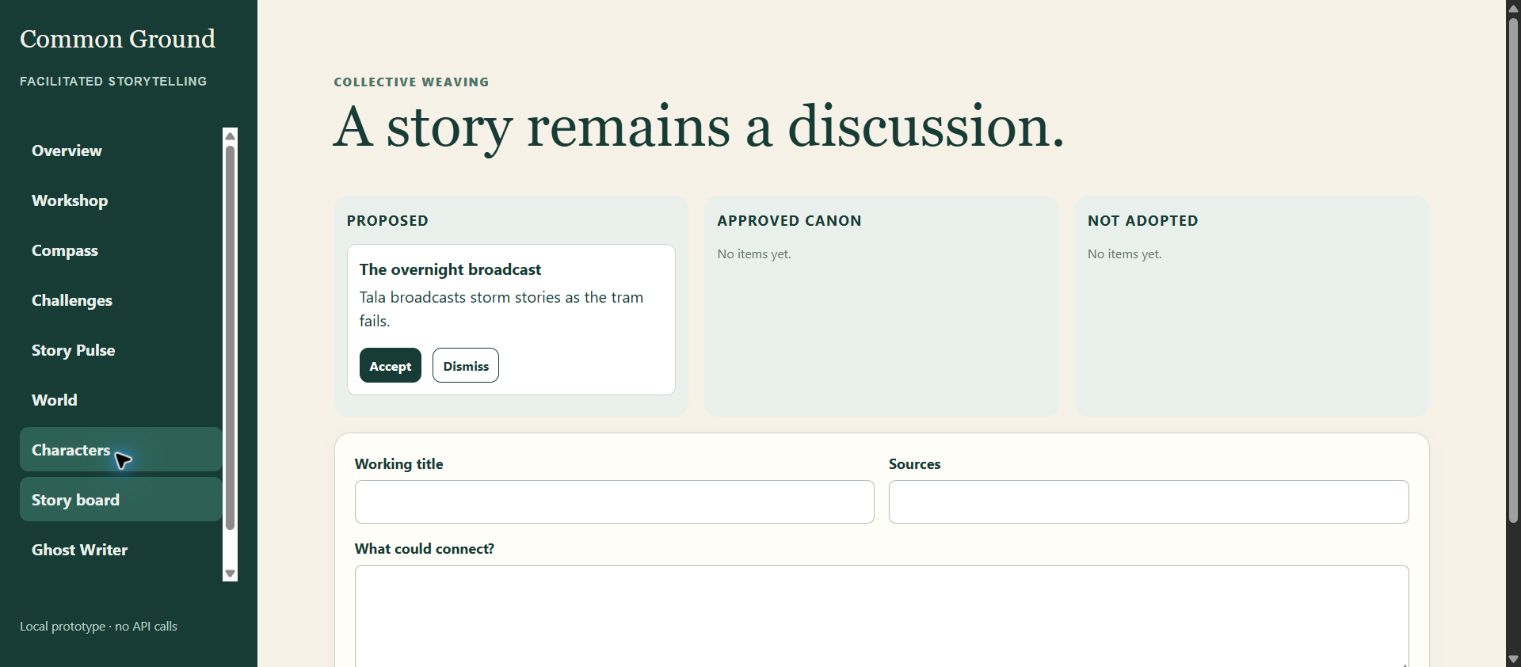
4. Weave the story
Inspect Proposed, Approved canon and Not adopted. Accepting or dismissing a proposal is a human editorial choice, not AI-generated canon.
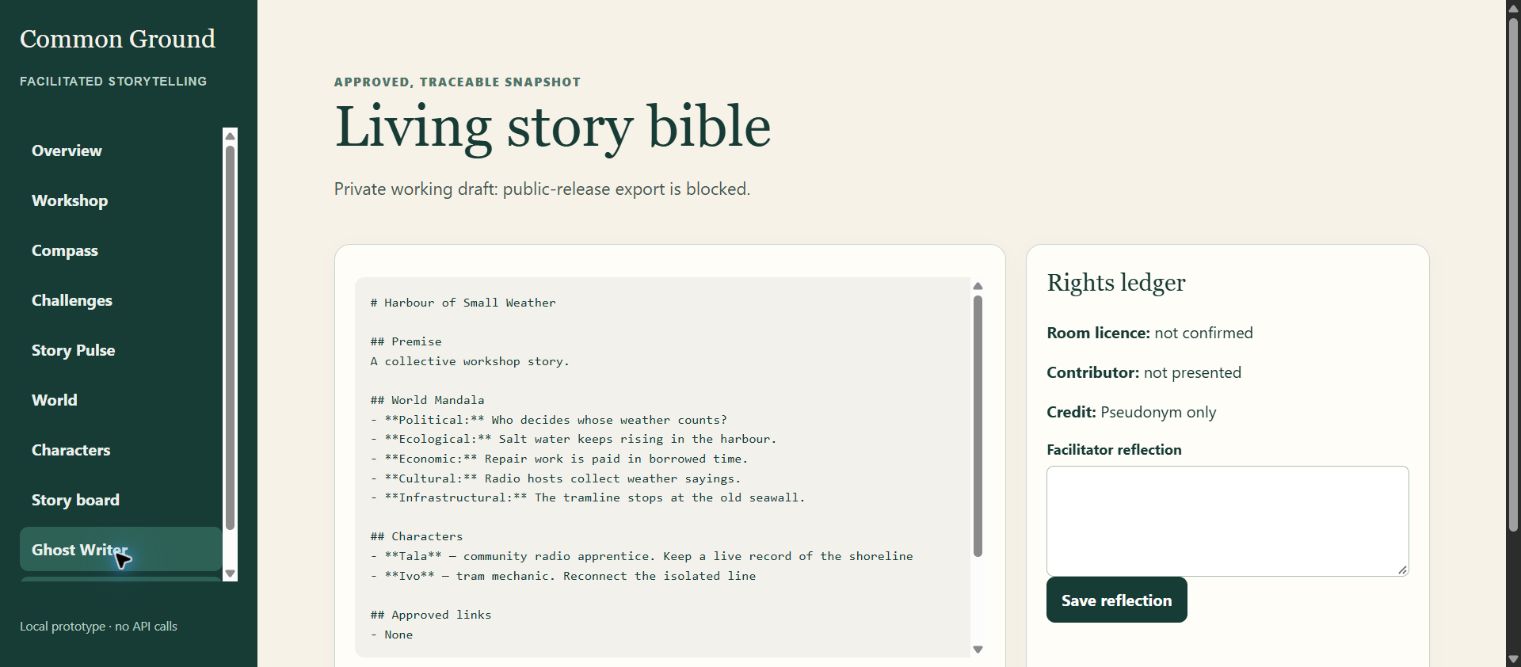
5. Read the Story Bible and rights ledger
Review the living Markdown draft and rights ledger. Private draft export is different from public-release clearance.
Try it
Working together on a shared device or screen, inspect the fictional sample story, draft one seed, consider two World Mandala domains, propose a character or link, and discuss whether it belongs in canon.
Facilitator note
Do not promise multi-device synchronisation until it has been demonstrated. Use your own ChatGPT account for any optional Ghost Writer facilitation; the app does not make paid API calls or transfer content automatically.